Drift
[](https://github.com/socatlolmeow/drift/stargazers)


### A YouTube Music player for your terminal, with Vim keybinds.
Search, queue and play music with no account, no login and no browser.
---
---
## Features
- **No login** - search and stream straight from YouTube Music
- **Vim-style keybinds** - `j`/`k`, `gg`/`ge`, counts like `5j`, and `:` for the command line
- **Synced lyrics** - a side panel or fullscreen view with the current line highlighted as it's sung
- **Playlists & queue** - save, load and reorder playlists, or import any YouTube / YouTube Music playlist by URL
- **Song menu** - press `G` on a song to play, queue, add to a playlist, jump to the artist or see its info
- **Command palette** - `:search`, `:seek`, `:vol`, `:import` and more, with completion and history
- **Artist browsing** - press `ga` to see an artist's songs
- **Similar songs** - press `gs` to see similar songs
- **Audio visualizer** - a live visualizer while music plays
- **Configurable** - volume, seek step, repeat/shuffle defaults and accent color in a single TOML file
## Installation
Drift needs [mpv](https://mpv.io/) for playback and [yt-dlp](https://github.com/yt-dlp/yt-dlp) for stream extraction. Run `drift --check` at any time to verify both are installed.
### Arch Linux (AUR)
```bash
yay -S driftmusic-git
```
Any AUR helper works, or build it by hand:
```bash
git clone https://aur.archlinux.org/driftmusic-git.git
cd driftmusic-git
makepkg -si
```
`mpv` and `yt-dlp` are installed automatically.
### Install script
On Arch, Debian/Ubuntu, Fedora, openSUSE, Gentoo & Void the install script installs the dependencies and builds Drift with cargo:
```bash
git clone https://github.com/socatlolmeow/drift.git
cd drift
./install.sh
```
### From source
Install the dependencies and [Rust](https://rustup.rs/), then:
```bash
git clone https://github.com/socatlolmeow/drift.git
cd drift
cargo install --path .
```
This puts `drift` in `~/.cargo/bin/`, which is on your `$PATH` if you installed Rust with rustup.
Installing mpv and yt-dlp manually
| Platform | Command |
| --- | --- |
| Debian / Ubuntu | `sudo apt install mpv` and `pipx install yt-dlp` |
| macOS | `brew install mpv yt-dlp` |
| Arch | `sudo pacman -S mpv yt-dlp` |
| Windows | `winget install mpv.net yt-dlp.yt-dlp` or `scoop install mpv yt-dlp` |
## Usage
```bash
drift # start the player
drift "daft punk" # start with a search
drift --check # verify mpv and yt-dlp are installed
```
Press `/` to search, `Enter` to play, `a` to queue and `?` for the full list of keybinds.
## Keybinds
| Key | Action |
| --- | --- |
| `j` `k` / `↓` `↑` | move (counts work: `5j`) |
| `gg` `ge` | jump to top / bottom (`5gg` goes to row 5) |
| `Tab` `Shift-Tab` | cycle Results / Queue / Playlists |
| `gr` `gq` `gp` | jump to Results / Queue / Playlists |
| `Enter` | play the selected song |
| `Space` | pause / resume |
| `n` `N` | next / previous track |
| `h` `l` / `←` `→` | seek back / forward (counts: `6l`) |
| `+` `-` | volume up / down |
| `s` `r` | toggle shuffle / cycle repeat |
| `a` `A` `P` | queue the song / queue all results / play all results |
| `dd` `x` | remove from queue or playlist |
| `J` `K` | move a queue or playlist item down / up |
| `G` | song menu |
| `ga` | go to the artist |
| `gs` | see similar songs |
| `L` | toggle the lyrics panel |
| `F` | fullscreen lyrics |
| `/` `:` | search / command line |
| `?` | help |
| `q` | quit |
### Commands
| Command | Action |
| --- | --- |
| `:search "query"` | search YouTube Music |
| `:play [N]` | play or resume, or play row `N` |
| `:seek 90` `1:30` `+10` | absolute or relative seek |
| `:vol 50` `+5` | set or change the volume |
| `:shuffle` `:repeat [off\|all\|one]` | playback modes |
| `:add [N]` `:addall` `:playall` | queue results |
| `:save name` `:load name` `:append name` | work with playlists |
| `:addto name` `:delpl name` | add a song to / delete a playlist |
| `:import URL` | import a YouTube / YouTube Music playlist |
| `:album [query]` | open the selected song's album, or search albums |
| `:playlist query` | search YouTube Music playlists |
| `:similar` | radio: songs similar to the selected one (also `:radio`) |
| `:artist` | songs by the selected song's artist |
| `:lyrics` | toggle the lyrics panel |
## Lyrics
Press `L` for a side panel (needs a terminal at least 70 columns wide) or `F` for fullscreen. The current line is highlighted and fills in as it's sung. Songs without synced lyrics show plain text you can scroll with `j`/`k`.
Lyrics come from [LRCLIB](https://lrclib.net) and are only fetched while the panel or fullscreen view is open.
## Configuration
Settings live in `config.toml` inside Drift's config directory (`~/.config/drift/` on Linux). Drift only reads the file and never rewrites it, so your comments are safe. Restart Drift after editing.
```toml
[playback]
volume = 80
shuffle = false
repeat = "off" # off, all or one
autoplay = false
restore_session = true
seek_step = 5.0
volume_step = 5.0
[artist]
popular_first = false
[ui]
accent = "cyan" # a color name or a hex value like "#FF8800"
[discord]
client_id = "" # change this for Discord RPC to work in Drift
```
Set `DRIFT_CONFIG_DIR` or `DRIFT_STATE_DIR` to change where Drift keeps its config, playlists and session.
## Contributing
Bug reports, ideas and pull requests are welcome. See [CONTRIBUTING.md](CONTRIBUTING.md) before you start.
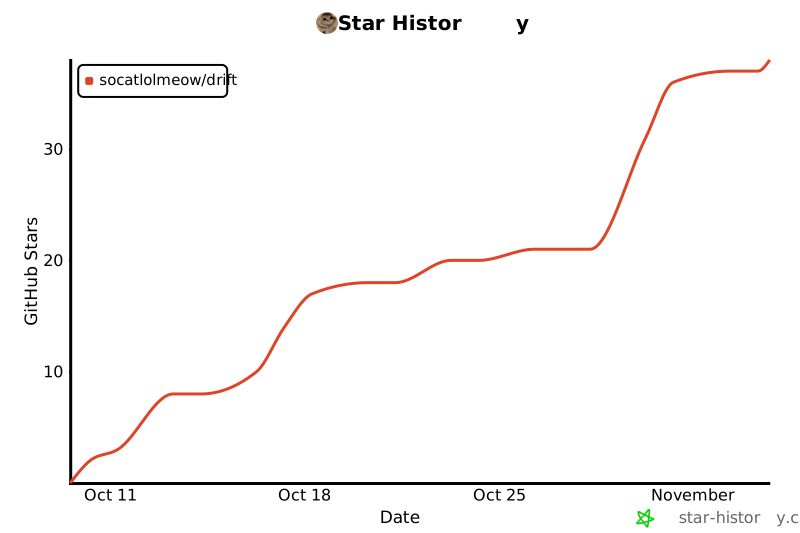
## Star History
[](https://star-history.com/#socatlolmeow/drift)
## License
[Drift](https://github.com/socatlolmeow/drift) is free software, released under the [GNU General Public License version 3 or later](https://www.gnu.org/licenses/gpl-3.0.html).
